The Tech-Challenged in the Library Learning to Use Technology
Walk into almost any public library in the United States today, and you’re as likely to find someone learning to attach a file to an email as someone checking out a novel. As daily life — banking, job applications, telehealth appointments, school assignments — has moved online, libraries have quietly become the country’s largest network of free tech-help desks. For patrons who feel overwhelmed by smartphones, apps, and AI tools, librarians have stepped into a role few would have predicted a generation ago: patient, one-on-one  technology tutor.
The Scale of the Need
The need is well-documented. A 2025 Pew Research Center survey found that just 14% of adults 65 and older say they are online “almost constantly,” compared with 63% of adults ages 18 to 29 [7]. That same survey found 78% of adults 65 and older own smartphones, the lowest ownership rate of any age group, compared with 97% of those under 50 and 90% of those 50 to 64, and only 70% of older adults subscribe to home broadband, again the lowest share of any age bracket [7]. Even as older adults have made real gains — one industry analysis notes that as of 2024, 90% of adults 65-plus were online, up sharply from just a few years earlier [8] — a persistent gap remains, and it isn’t only about owning a device. It’s about knowing how to use it: recognizing phishing scams, filling out a PDF, video-calling a grandchild, or navigating a hospital’s patient portal.
This gap isn’t limited to seniors. Rural residents, low-income households, non-native English speakers, and even some younger patrons who are fluent with social media but unfamiliar with word processors, spreadsheets, or job-application systems all show up at library help desks. In Harris County, Texas, library officials point out that almost 200,000 households lack home internet entirely [3], a reminder that the “technologically challenged” label often has as much to do with access as with skill.
What Libraries Are Actually Doing
One-on-one tech help, by appointment. Many library systems now offer scheduled, individualized sessions rather than relying solely on group classes. The Toronto Public Library’s “Book a Librarian” service lets patrons reserve a 30- to 60-minute appointment focused on topics such as mobile apps, internet skills, and basic computer skills, available in person or by phone [4].  Brooklyn Public Library runs a similar model, in which a professional librarian schedules a reference interview and can follow up with a virtual appointment for additional support [5]. The Los Angeles Public Library and Austin Public Library offer comparable “Book a Librarian” consultations. These sessions matter because tech anxiety is often personal and specific — a patron doesn’t want a general class on “the internet”; they want help getting their new hearing-aid app to pair with their phone or their prescription refill portal to accept a password.
Structured digital-literacy curricula. Beyond drop-in help, national infrastructure now supports librarians in teaching more systematically. The Public Library Association’s DigitalLearn.org platform offers free, self-directed courses in English and Spanish covering skills such as getting started with email, navigating websites and apps, using search engines, and practicing cybersecurity basics, along with facilitator guides, scripts, and presentation decks that make it easier for individual libraries to run their own workshops [1]. Through a partnership with AT&T, PLA reports that from 2022 through 2025, it helped 548 public libraries conduct more than 3,600 workshops, training over 23,000 learners across 45 states [1]. The Scarborough Public Library in Maine illustrates how this plays out locally: it offers in-person courses tailored to specific patron needs, alongside online lessons on topics such as Microsoft Excel, website design, and coding, and partners with a regional nonprofit to expand free access [6].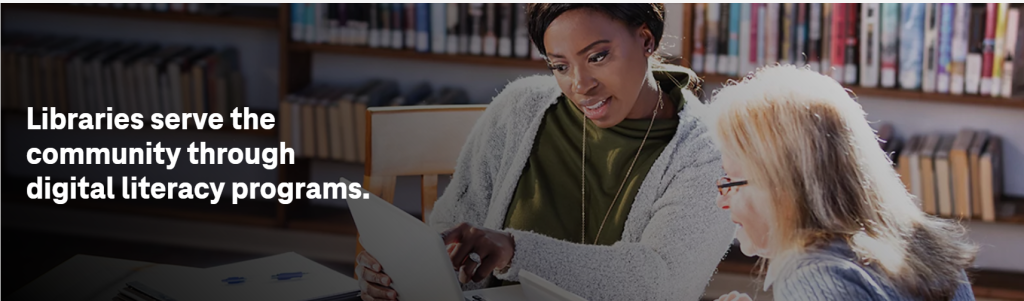
Loaning the hardware itself. Recognizing that skills training means little without a device or connection, many systems lend laptops and Wi-Fi hotspots. Harris County Public Library’s “HCPL Connected” program, built with T-Mobile and funded in part by the FCC’s Emergency Connectivity Fund, provides 5G hotspots and borrowable laptops to residents and received roughly $30 million — the largest single award to any library system under that federal program [3]. A library administrator involved in the effort described it as intended to make the library “their online library home,” extending services well beyond the building’s walls [3].
Helping older adults specifically. Because seniors face the steepest learning curve and the highest stakes (scam vulnerability, telehealth dependence, social isolation), many libraries build programming around them directly, from basic smartphone clinics to sessions on video-calling apps and online banking safety, often delivered through the same appointment-based “Book a Librarian” model described above.
Reaching kids and teens — not just remedial help, but genuine skill-building. Younger patrons benefit from a different kind of library tech support: creative, hands-on programs that build confidence with new tools. At the Laredo Public Library in Texas, teens have partnered with the University of Colorado Boulder’s Build a Better Book project since 2019, using makerspace tools to design tactile books and games for people with visual impairments. As librarian Analiza Perez-Gomez put it, “libraries level the playing ground. There are no obstacles to STEM here” [9]. She noted that participants who had never touched a 3D printer, some now in college, have credited the program with steering them  toward engineering careers [9]. Elsewhere, systems such as Charles County Public Library in Maryland run recurring LEGO robotics and STEM clubs using kits like LEGO WeDo and LEGO Spike, giving children hands-on coding and robotics practice starting as young as six [10].
Meeting the moment on AI. As generative AI tools spread, libraries have begun treating AI literacy as a natural extension of digital literacy work — hosting workshops on how large language models operate, how to spot AI-generated misinformation, and how to use tools like ChatGPT responsibly, aimed at learners across the age spectrum [11].
Why It Matters — and What’s at Risk
Librarians frequently describe this work as central to the profession’s modern mission, not a side project. A 2025 sector-wide report on libraries noted that federal Digital Equity Act grants were abruptly canceled in May 2025, forcing states and municipalities to scramble to sustain local digital-inclusion plans even as demand for this help continues to grow [2]. That funding uncertainty makes the community-level work — one patient staffer sitting beside one confused patron — even more consequential.
For the person trying to renew a driver’s license online, apply for unemployment benefits, or simply see a photo of a new grandchild, that help isn’t a footnote to what libraries do. Increasingly, it’s the point.
Sources
- Public Library Association. “Digital Literacy.” American Library Association. https://www.ala.org/pla/initiatives/digitalliteracy
- American Library Association. “The State of America’s Libraries: A Snapshot of 2025.” April 2026. https://www.ala.org/sites/default/files/2026-04/state-of-americas-libraries-report-2026-WEB-acc-4.pdf
- T-Mobile for Education. “How Reliable Connectivity Drives Digital Literacy.” https://www.t-mobile.com/business/resources/articles/digital-literacy-programs
- Toronto Public Library. “Seniors Digital Skills.” https://www.torontopubliclibrary.ca/seniors/
- Brooklyn Public Library. “Ask a Librarian / Book a Librarian.” https://www.bklynlibrary.org/bal
- Scarborough Public Library. “Digital Literacy.” https://www.scarboroughlibrary.org/digital_literacy
- McKnight’s Senior Living. “Older adults least likely to own smartphones, use internet ‘almost constantly.'” Reporting on Pew Research Center survey (Feb.–June 2025). https://www.mcknightsseniorliving.com/news/older-adults-least-likely-to-own-smartphones-use-internet-almost-constantly/
- Creating Results. “What Do Seniors Do Online? 2025 Data for Marketers.” September 2025. https://creatingresults.com/blog/2025/03/13/what-do-seniors-do-online-2025-data-for-marketers/
- Programming Librarian. “Build a Better Book: Teens Using STEM to Create a User-Friendly World.” https://programminglibrarian.org/articles/build-better-book-teens-using-stem-create-user-friendly-world
- Charles County Public Library. “STEM.” https://ccplonline.org/stem/
- mylibrarianship (WordPress). “How Public Libraries Are Teaching AI and Digital Literacy Skills.” June 2025. https://mylibrarianship.wordpress.com/2025/06/24/%f0%9f%93%9a%f0%9f%a4%96-how-public-libraries-are-teaching-ai-and-digital-literacy-skills-1/